
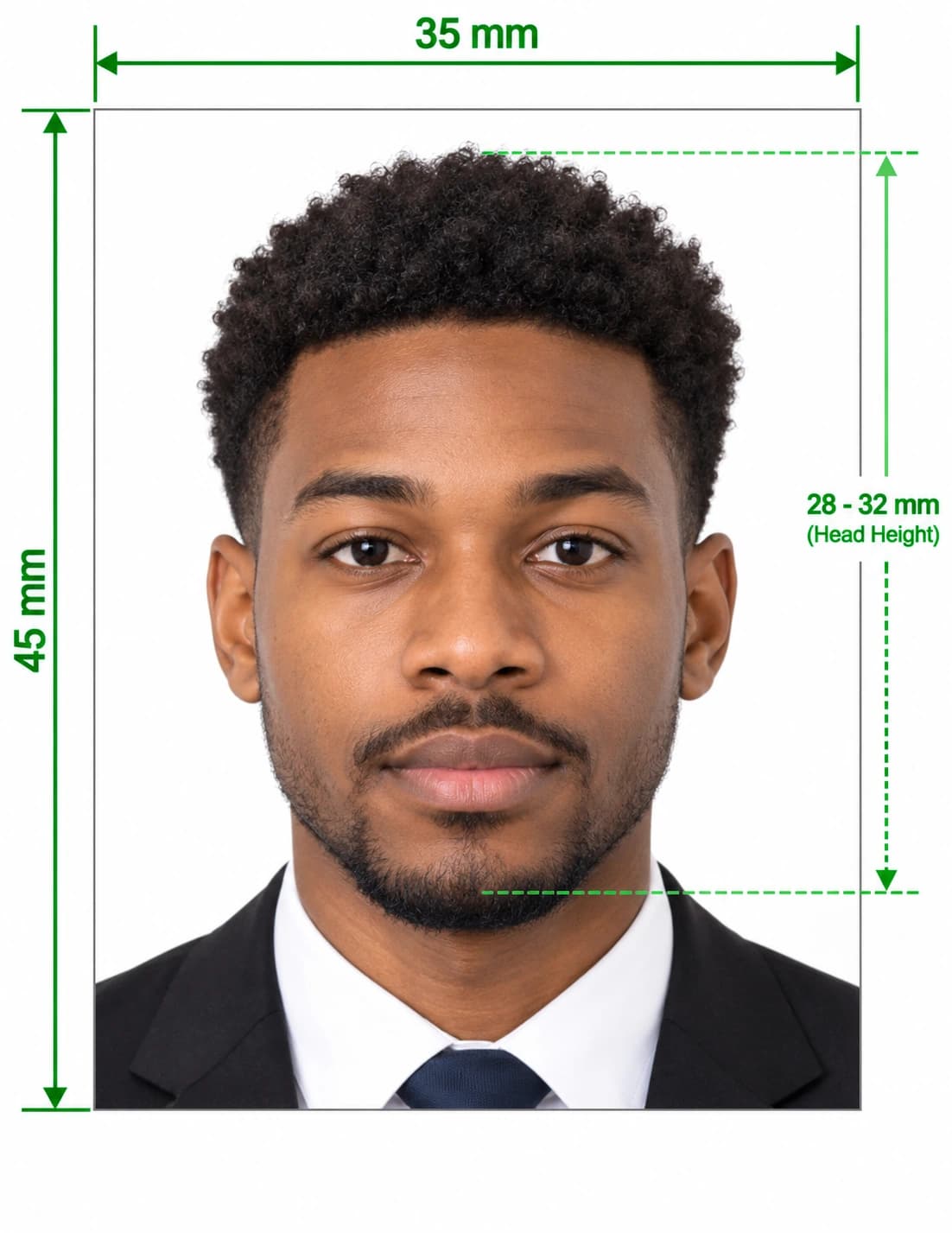
Take Your Own Passport Photo at Home
You can take a passport photo at home with nothing more than a phone and a plain wall. Take the picture, upload it to our tool, and we size it, replace the background and check your head against the official range. Then print the photo yourself, or download the file for an online application.
Doing it at home saves travel and queues, and you can retake the picture as often as you like. This guide shows you how to set up, shoot and print a photo that meets the rules.
How to Take a Passport Photo at Home in 5 Steps
- Set up your space. Choose a plain wall and a well-lit spot, and follow the setup checklist below.
- Take the picture. Ask someone to hold the phone at eye level and shoot a head-and-shoulders portrait.
- Upload your photo. Choose your country, then upload the picture to the tool.
- Review the checks. The tool crops the photo, replaces the background and tests your head size.
- Print or download. Save a digital file, or print a sheet with several copies.
The whole process takes about 15 minutes, including setup.
What You Need
You already own most of the equipment.
- A smartphone or camera: Any recent phone takes a good enough picture.
- A plain wall: A light, matt wall with no pattern works best.
- A helper: Someone else can hold the camera at eye level, which avoids selfie distortion.
- Soft daylight: A large window gives even light on your face.
- A printer and photo paper: You need these only if your application asks for prints.
- Scissors or a paper trimmer: These give clean, exact edges.
Set Up Your Home Photo Studio
Good lighting and a clean background make the biggest difference.
- Face a window. Stand so that daylight falls evenly on your face, with no shadows.
- Avoid direct sun. Harsh light creates shadows and squinting.
- Stand in front of a plain wall. Keep patterns, doors, frames and furniture out of the shot.
- Stand about one metre from the wall. This reduces shadows behind your head.
- Keep the camera at eye level. Have your helper stand about one metre from you.
- Use the rear camera. Selfie lenses distort your face.
Tips for Taking Your Own ID Photo
- Face the camera. Look straight at the lens with your head level and your shoulders square.
- Keep a neutral expression. Close your mouth and keep your eyes open.
- Show your full face. Move hair away from your eyes and eyebrows.
- Remove your glasses. Many countries no longer accept them, except for documented medical reasons.
- Wear a plain top. Choose a colour that contrasts with your background.
- Leave space around your head. The tool needs room to crop correctly.
- Take several shots. Choose the sharpest, most natural picture.
Passport Photo Sizes by Country
Passport photo sizes vary, so choose the right format before you print. Here are common sizes:
| Country or region | Photo size | Notes |
|---|---|---|
| United Kingdom | 35 × 45 mm | Cream or light grey background |
| United States | 2 × 2 in (51 × 51 mm) | Square, white or off-white background |
| European Union (Schengen) | 35 × 45 mm | Plain, light background |
| India | 35 × 45 mm (630 × 810 px online) | Some missions abroad set their own rules |
| Canada | 50 × 70 mm | Larger portrait format |
| Australia | 35 × 45 mm | Plain, light background |
Need a specific format? See our pages for the UK passport photo, UK passport renewal photo, Indian passport photo and US visa and passport photo.
How to Print Your Passport Photo at Home
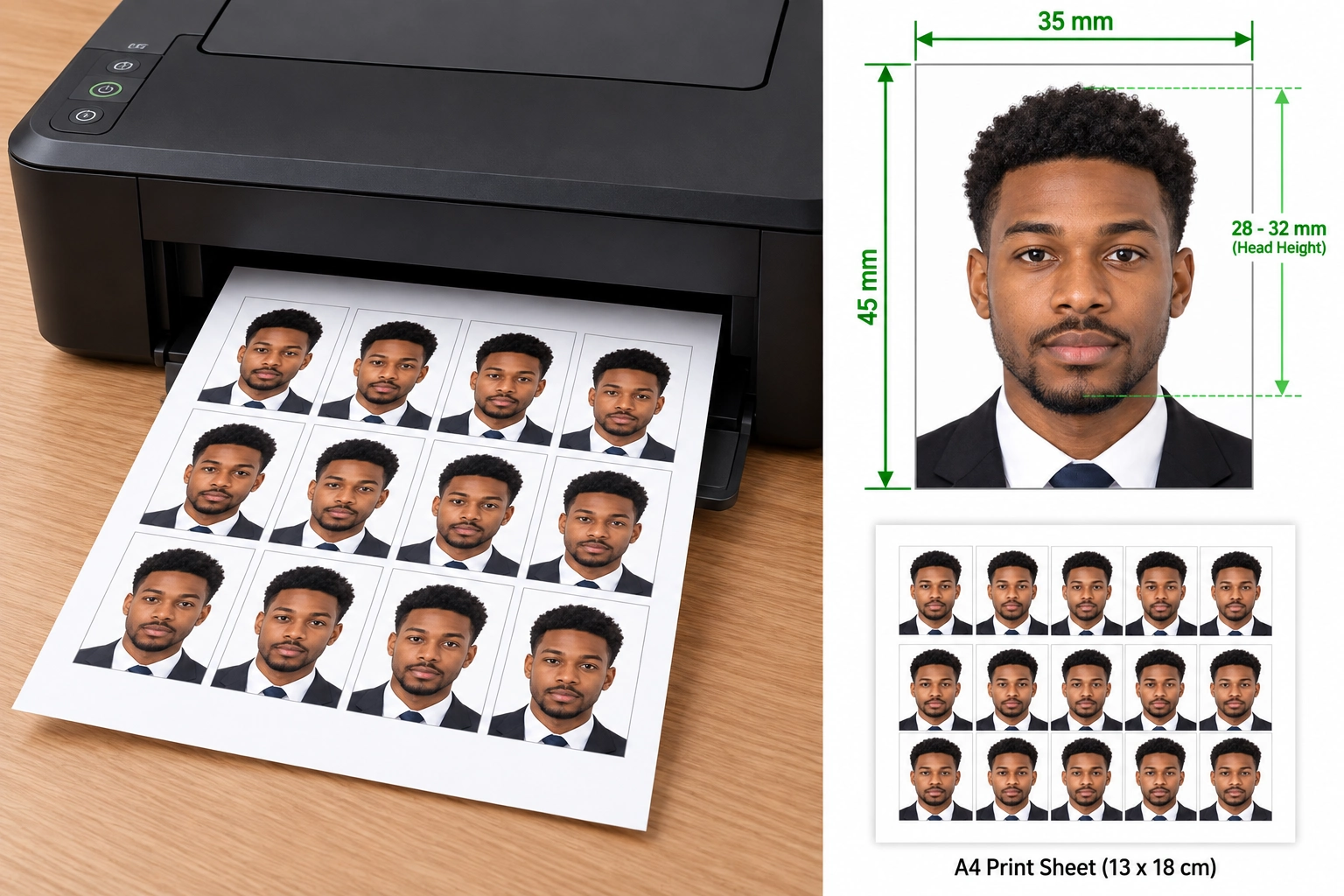
Printing is where many DIY photos go wrong. Follow these steps for a clean result.
- Download the print sheet. Choose the 6 × 4 inch (10 × 15 cm) layout from the tool.
- Load photo paper. Use glossy or matt photo paper, not plain office paper.
- Choose the highest quality setting. Select "photo" or "best" in your printer settings.
- Print at 100% scale. Turn off "fit to page" or "shrink to fit", or the size will change.
- Check the print. Measure one photo with a ruler to confirm the exact size.
- Cut along the guides. Use a trimmer or a sharp pair of scissors for straight edges.
Print Settings Checklist
| Setting | Choose |
|---|---|
| Paper | Photo paper, glossy or matt |
| Quality | Highest or "photo" |
| Scale | 100%, with no fit to page |
| Borders | None |
| Colour | Full colour, with no filters |
| Resolution | 300 DPI or higher |
If your printer struggles, save the print sheet to your phone and take it to a pharmacy or supermarket kiosk. Ask for a 6 × 4 inch print with no cropping.
Digital or Printed Photo?
Some applications need only a digital file, and others need prints.
| Digital photo | Printed photo | |
|---|---|---|
| Best for | Online applications and portals | Paper forms and in-person visits |
| Output | JPEG at the required pixel size | Prints at the exact millimetre size |
| Checking | Portals often check it automatically | You check it yourself |
| Printing | None needed | Photo paper at 100% scale |
Always check your application's instructions, because some forms ask for a countersignature on the back of one photo.
Common Mistakes When You Take a Passport Photo at Home
| Mistake ❌ | Fix ✅ |
|---|---|
| Shadows on the wall behind you | Stand about one metre from the wall |
| Selfie distortion | Use the rear camera, and ask a helper |
| Wrong size after printing | Print at 100% scale, and measure the result |
| Head too small in the frame | Move closer, and let the tool crop the photo |
| Smiling or squinting | Relax your face, and take several shots |
| Plain paper or a low-quality print | Use photo paper at the highest setting |
| Filters or retouching | Use the untouched picture |
What You Get With Our Passport Photo Tool
- Automatic cropping: The editor sets the correct frame around your face.
- Exact resizing: It outputs the millimetre and pixel size your country asks for.
- Background replacement: It swaps your wall for a plain background.
- Head-size check: It measures your head against the official range.
- Print-ready sheet: It lays out several copies on a 6 × 4 inch page.
- Digital file: It provides a JPEG for online applications.
Passport Photos for Children and Babies
Children need the same size and background, but many countries relax some rules for young ones. For a baby, lay them on a plain, light sheet and photograph them from above. No one else may appear in the frame. Check your country's guidance for children before you apply.
Start Your Passport Photo at Home
Take a picture, upload it, and get a correctly sized passport photo in minutes. Print it yourself or download the file, with no studio visit needed.
Frequently Asked Questions
Everything you need to know about official Take a Passport Photo at Home requirements and specifications.
Can I take my own passport photo at home?
Yes. Take a clear, front-facing picture against a plain wall, and use a tool to size it and check the background. Follow your country's rules.
Can I create my own passport?
No. Only your country's passport authority issues passports. You can prepare your own photo at home, then submit it with your application.
How do I print a passport photo at home?
Download a 6 × 4 inch print sheet, print it on photo paper at 100% scale, and cut along the guides. Measure one photo to confirm the size.
Is there a free way to do a DIY passport photo?
You can take the picture yourself and preview the result before you pay. The final file is a paid download, so confirm the current terms in the editor.
What paper should I use to print a passport photo?
Use glossy or matt photo paper. Plain office paper produces a dull, low-quality print that may be rejected.
What size should I print my passport photo?
It depends on your country. The UK, EU, India and Australia use 35 × 45 mm, while the US uses 2 × 2 inches.
What background do I need?
Most countries ask for a plain white, cream or light grey background with no shadows. The tool applies the right background for your country.
Will my home passport photo definitely be accepted?
No one can promise that. The issuing authority makes the final decision, but careful setup and our checks help you avoid the most common mistakes.
Ready to create your verified Take a Passport Photo at Home?
Upload your photo in seconds and receive guaranteed HMPO / ICAO compliant digital photos and printable sheets.
Upload Photo & Create Now