
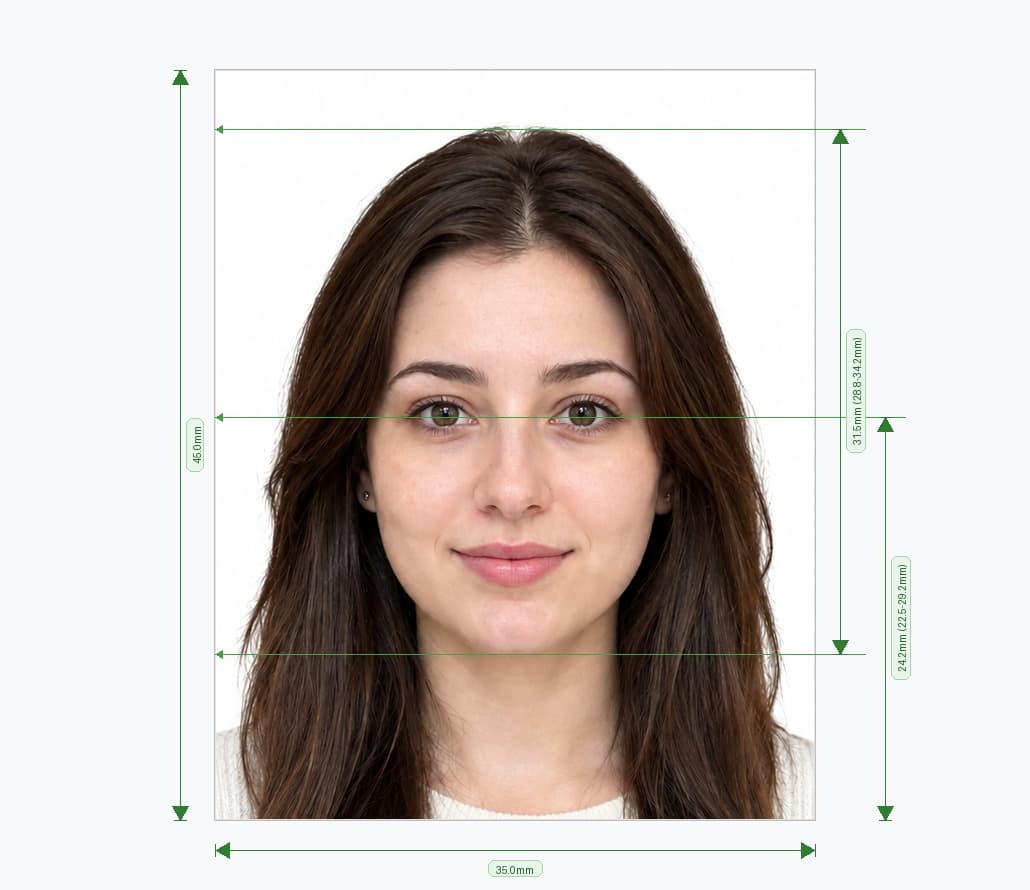
Do You Need a Photo for a UK Visa?
Usually, you do not need to send a printed photo with a UK visa application. UK Visas and Immigration (UKVI) collects a photo of your face as part of proving your identity. How it does this depends on your visa route, and the application tells you which option applies to you.
| How you prove your identity | How your photo is taken |
|---|---|
| UK Immigration: ID Check app (for eligible documents, such as some EU, EEA, Swiss and BNO passports) | You scan your identity document, scan your face, then take a photo of yourself in the app |
| Biometric appointment (UKVCAS in the UK, or a visa application centre abroad) | Staff take your photo and fingerprints at the appointment |
| UK ETA app | You take a photo of your face in the app, and it tells you if the photo does not meet the requirements |
| Some applicants with reusable fingerprints | UKVI may email you instructions to send an image of your face |
Because of this, a "UK visa photo" from a booth is often unnecessary. Check what your own application asks for before you pay for one.
UK ETA Photos
An Electronic Travel Authorisation (ETA) is not a visa, but it also needs a photo of your face. In the UK ETA app, you take the photo with your phone camera. The app tells you if the photo does not meet the requirements, and you can retake it before you submit.
Photo Rules in the UK Immigration: ID Check App
If you take your own photo in the ID Check app, GOV.UK says you must:
- be in even lighting, against a plain, light-coloured background
- keep your head straight and look directly at the camera
- have a neutral expression, with your eyes open and visible
- include your head, shoulders and upper body (extend your arms, or ask someone to take the photo)
You must not:
- have anything covering your face or eyes
- wear a head covering, unless it is for religious or medical reasons
- have any shadows, objects or people behind you
Set up before you open the app: stand facing a window in daylight, in front of a plain light wall, with nothing else in the frame.
When You Might Still Need a 35×45 mm Photo
You may still need a printed or digital photo for other documents linked to your move or travel, for example:
- a UK passport if you later become a British citizen
- a UK driving licence
- a Schengen visa or a US visa for travel from the UK
Each document sets its own rules, so check the guidance for the one you are applying for.
Frequently Asked Questions
Everything you need to know about official UK Visa Photo requirements and specifications.
Do I need a passport photo for a UK visa application?
Usually not. Providing biometrics (fingerprints and a photograph) is a step in the application. Your photo is taken in the UK Immigration: ID Check app or at a biometric appointment, and your application tells you which applies to you.
Where do I get my photo taken for a UK visa?
If you are asked to attend a biometric appointment, your photo is taken there, at a UKVCAS service point in the UK or a visa application centre abroad. If you use the ID Check app, the app takes it.
Do I need a photo for a UK ETA?
Yes. You take a photo of your face in the UK ETA app. The app tells you if the photo does not meet the requirements, and you can retake it.
Can I use my passport photo for a UK visa?
You are not usually asked to provide one. Your photo is captured during the identity step of your application instead.
Can I wear glasses for a UK visa photo?
Nothing can cover your face or eyes. Follow the instructions in the app or at your appointment, and take glasses off if glare or the frames would hide your eyes.
PixPassport is an independent service and is not affiliated with UK Visas and Immigration, the Home Office or GOV.UK. Information checked against GOV.UK guidance on applying for a UK visa, the UK Immigration: ID Check app, UKVCAS and the UK ETA app in October 2026.
Ready to create your UK Visa Photo?
Prepare a correctly sized 35×45 mm photo for forms that ask for one, and check it before you submit.
Upload Photo & Create Now